标题: Sketch 3 for Mac 3.9 破解版 - Mac上专业的矢量绘图工具 [打印本页] 作者: jingjing 时间: 2019-7-27 18:07 标题: Sketch 3 for Mac 3.9 破解版 - Mac上专业的矢量绘图工具 摘要:Sketch 是一款Mac上小巧但功能强大的矢量绘图软件,最新版本,增加了大量新的功能,相比其他的矢量绘图软件,比如AI,Sketch的优点在于使用简单,学习曲线低
Sketch 是一款Mac上小巧但功能强大的矢量绘图软件,最新版本,增加了大量新的功能,尤其是Sketch Mirror,相比其他的矢量绘图软件,比如AI,Sketch的优点在于使用简单,学习曲线低,让我们能够用Sketch快速的绘制图形,可以说是轻量级的 AI,Sketch 3 提供了基本的形状,支持自动切图,PDF、EPS、SVG等格式文件的导入和导出,并且增加了移动设计模板,非常适合进行网站设计。
[Sketch 3 在 官网上售价129美元,约合人民币780元]
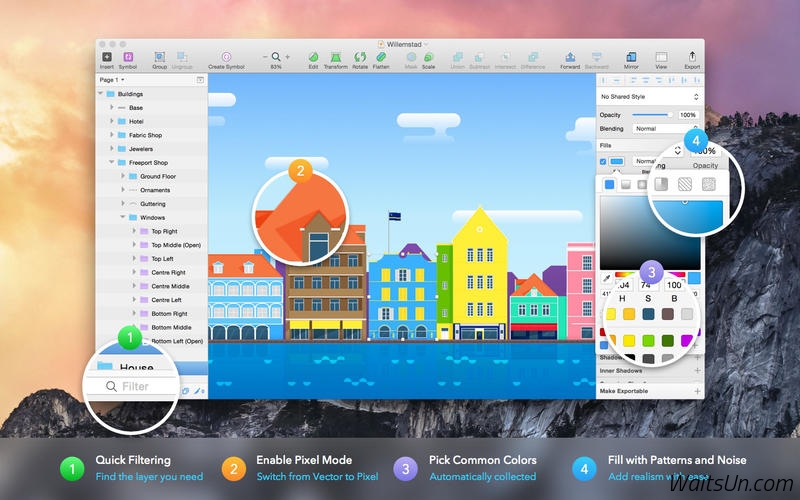
Sketch 3 for Mac 3.9 介绍Sketch:平面设计的数字世界。功能强大的工具和优雅的界面。因为使美丽的东西应该是一种快乐,而不是负担。
Sketch支持多种填充,边框和每一层阴影;具有强大的非破坏性的布尔运算;智能像素对齐;并使得出口具有自动切片和多种分辨率的出口变得轻而易举。
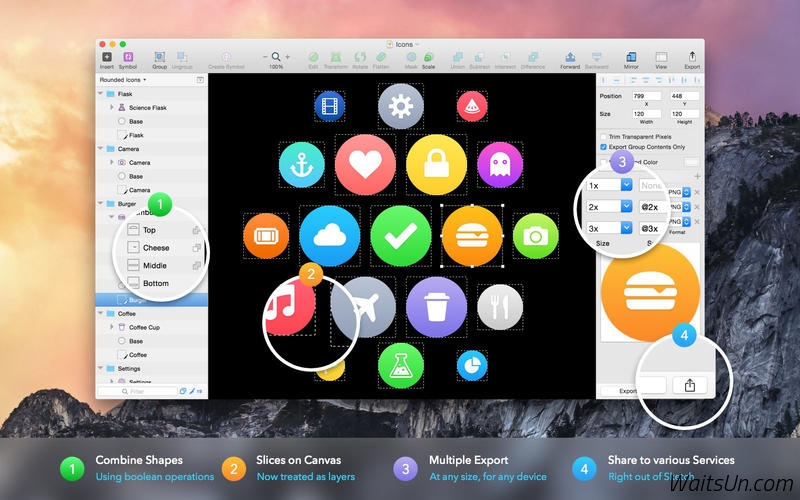
矢量工具和基本形状是基础;无论你正在设计的图标,网站,界面或其他任何东西。这些结合成复杂的形状与非破坏性的布尔运算,让你自由地编辑他们的未来,然后应用像多重阴影先进的图层样式选项,填充,渐变,噪音,混合,背景模糊,以及更多。
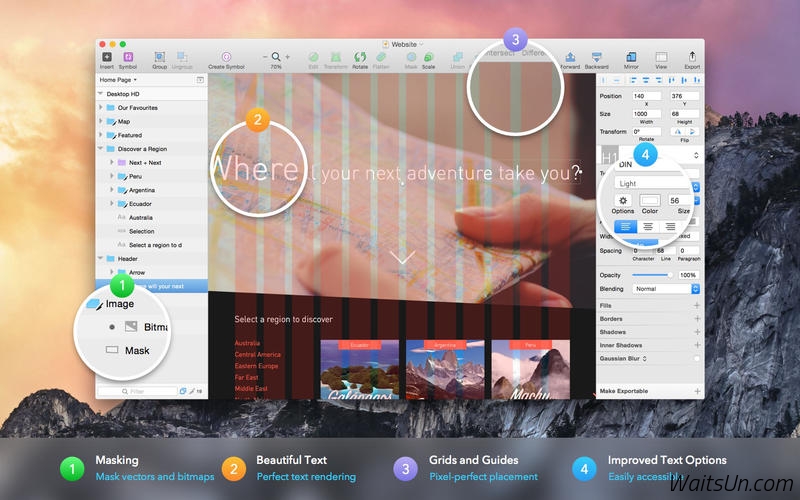
除了以上功能,还可以导入的图片,可以旋转,缩放,裁剪和屏蔽。最好的一流的文字工具,您可以添加漂亮的印刷字体到您的设计,使用本地字体渲染,所以你可以肯定的是文字看起来总是100 %准确!
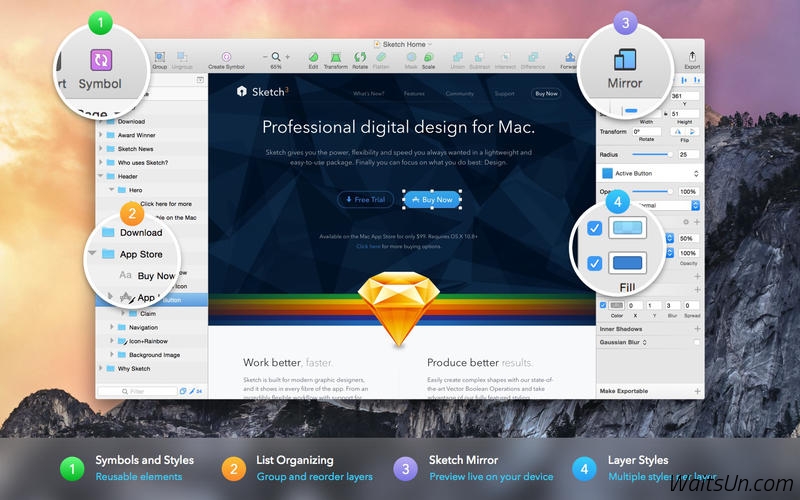
全新的Sketch 3,符号允许您重用的内容在多个地方整个群体在您的设计。觉得界面元素,如按钮,页眉和页脚。改变他们一次,他们无处不在更新您的文档中。
Sketch支持OS X的版本和自动保存,不需要CMD + S保存,可以让你专注于你的工作保持你的工作,同时通过iCloud能在多个Mac电脑同步。
新在版本Sketch 3 :
符号,在你的设计重用元素
文本样式和图层样式,重新设计并统一为一个更好的体验
重新设计的检查,给你的一切更快的访问
自动切片,直接出口层,而无需设置手动切片
从一个单一的片出口多种分辨率,在任何规模的
改进的PDF , EPS和SVG的导入和导出
速度, bug修复和波兰各地
演示模式,全屏显示和隐藏所有控制,完美的炫耀设计
改进的位图编辑与魔术棒,裁剪,翻转和矢量化工具
特点:
简单但功能强大的接口,从地上爬起来为OS X内置
优化的视网膜和非Retina显示屏
强大的造型:多重阴影,多个填充,渐变,混合,模糊,噪点多...
灵活的布尔操作简单的图形组合成复杂的形状
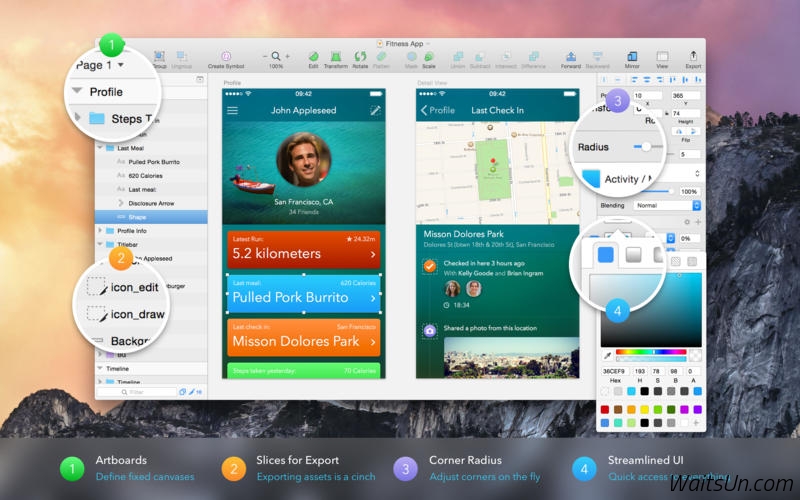
画板及切片出口多个图像出一个单一的文件
在同一时间自动导出为多种分辨率
独特的颜色(与RGB和HSB模式)和字体选择器
美丽的原生文本渲染和文本样式
向量和像素变焦;放大与无限向量的精度或个别像素
多站和径向渐变编辑右侧的画布中。强大的所见即所得的渲染
共享的图层样式,可以自动更新所有相关层
共享文本样式的文字层之间共享字体和段落信息
功能强大,易于使用的矢量工具
设计师可以在网络上梦幻般的资源,越来越多的社区
Sketch适合各种各样的设计师和艺术家。
为Web和UI设计
Web和iOS的设计模板标配
复制CSS样式到剪贴板(包括梯度! )
切片:将出口作为画布上的图像区域
960默认网格,与更先进的网格选项的支持
创建一个文档内的多个页面
标准响应网页设计画板
用于图标设计师
画板:每个都是自己的小帆布
iOS的图标模板
像素网格
像素效果,如高斯和运动模糊
舍入到最近的像素边缘
v3.9版本新功能Version 3.9:
New
You can now define how layers within groups and Symbols should move/resize when the user resizes a group or Symbol
Introducing the first version of Sketch Cloud (Beta) — a free service that lets you upload Sketch documents and share them with the world
Other Enhancements
Adds the ability to right-click any layer to replace it with an instance of an existing Symbol
Adds the ability to quickly switch between Artboards using the fn+left/right arrow keys
Adds the ability to specify the scale origin in the Scale sheet, whereas previously it always scaled from the center
Detaching Symbol instances now avoids creating unwanted nested groups
When exporting Artboards to PDF, Sketch now exports Artboards in a left-to-right Canvas order. Check the Preferences to adjust this
Inserting PDFs via Insert > Image… now respects the preference for whether they should be parsed as a bitmap or vector
Image fills on layers can now be set to “Fit”
Simplifies how Sketch deals with text layers; resizing from the bottom no longer increases the font size and when resizing text in a group, the font size is no longer scaled up
Text pasted into a Sketch text layer, or on the Canvas, is now always stripped of whatever styling it contained
Right-aligned text layers in Symbols with overrides now also move their trailing layers to make room for the overrides
Improves setting opacity via the keyboard. You can now specify values like '96' whereas previously this would have resulted in first 90% and then 60% opacity
Improves appearance of right-aligned Text Styles in the Inspector
Minor improvements to SVG Export, specifically to font recognition
The Hex field now has key focus when opening the color picker
Option-dragging to duplicate a layer now puts the layers in the expected order; the duplicate is moved and the original is left where it was
Outlining a stroke now merges overlapping points in the new paths
Layer selection now ignores parts of a layer that are hidden by another mask
It is now easier to select overlapping Slice layers using the Command key
Automatic click-through is applied to all groups when the Layer List is set to show Slices only
When moving the cursor over the Canvas, the modifier highlight instantly appears when holding Option, Command etc.
The Arrange menus are now smarter in that they move content forward/backward even if some of the layers are already at the front
When rotating a layer, the X and Y values in the Inspector are now updated immediately
Reduce File Size will now compress the size of images, resulting in a smaller file size
Trailing layers will no longer move when locked, if the text override value is edited
Sketch 3 for Mac 3.9 下载 [pan=https://pan.baidu.com/s/1xUyVYDUo5EohepHTFp0DGw]菁菁社区||30[/pan] 菁菁苹果园 bbs.lingsky.com