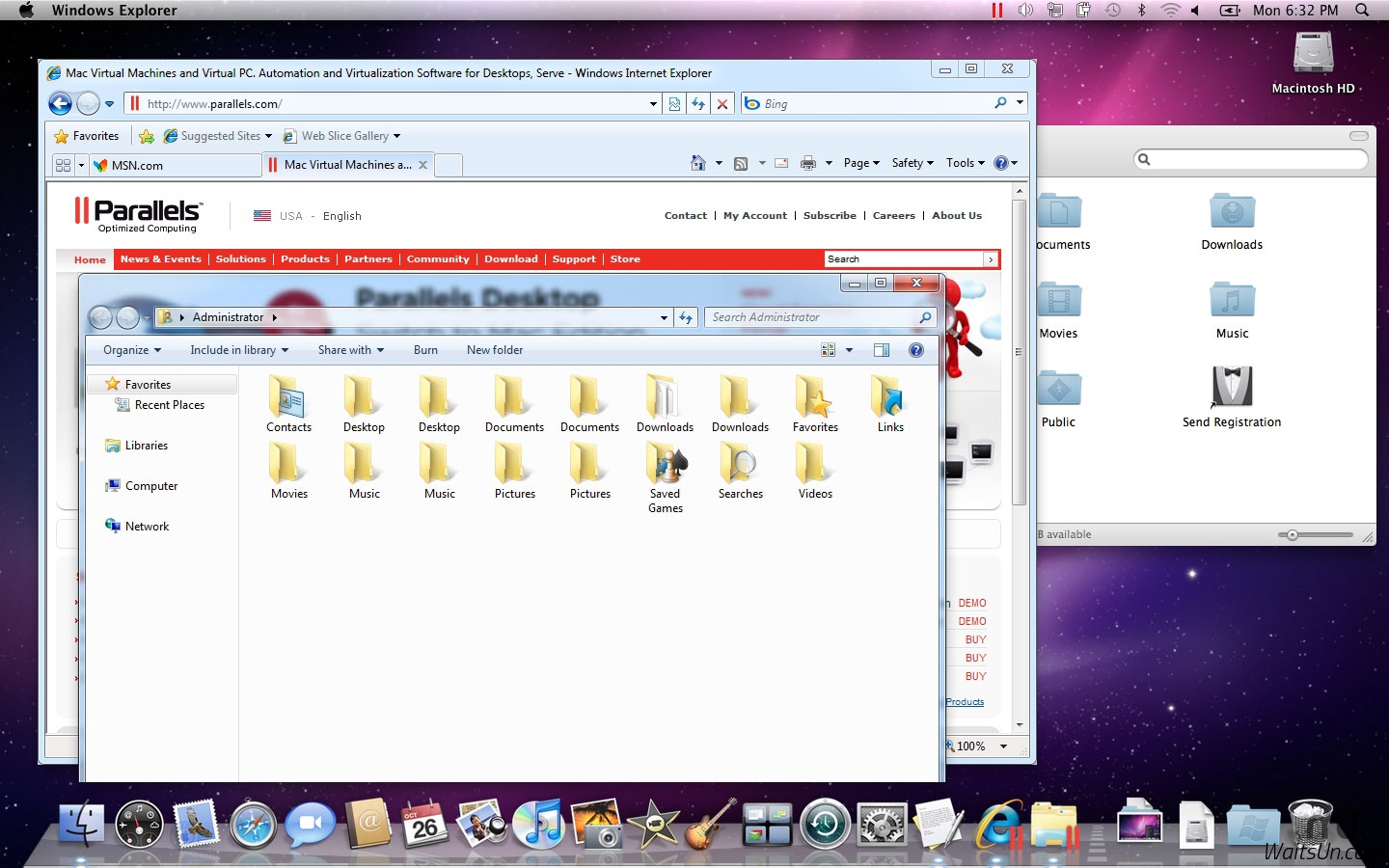
标题: Parallels Desktop 12 for Mac 12.0.1 激活版 - Mac上最优秀的虚拟机 [打印本页] 作者: jingjing 时间: 2019-7-27 18:08 标题: Parallels Desktop 12 for Mac 12.0.1 激活版 - Mac上最优秀的虚拟机 摘要:在Parallels Desktop 12中,新增对macOS Sierra新系统的支持,以及全新的一键式工具、由 Acronis 提供支持的为期一年的 500 GB 免费在新存储容量等,最强大的虚拟机之一
应网友要求更新。 Parallels Desktop 12不多说的软件,在Parallels Desktop 12中,新增对macOS Sierra新系统的支持,以及全新的一键式工具、由 Acronis 提供支持的为期一年的 500 GB 免费在新存储容量等,支持 Windows 10、Windows 8、Windows 7、Linux、Android等,最强大的虚拟机之一!
[Parallels Desktop 12 在官网上售价575元]
Parallels Desktop 12 for Mac 12.0.1 介绍Parallels allows you to run Windows and Mac applications side by side. Choose your view to make Windows invisible while still using its applications, or keep the familiar Windows background and controls on your Mac.
Now Supporting Windows 10 and ready for El Capitan
Run Windows 10 and OS X? El Capitan with ease. Use Microsoft Cortana?, your virtual assistant, on your Mac. Switch from your PC to your Mac
We make it easy to get all of your files, applications, browser bookmarks, and more from your PC to your Mac; just follow the setup assistant.
Works with Boot Camp?
Reuse your existing Boot Camp installation. Converting a virtual machine from Boot Camp is now much easier and more intuitive than ever.
Not just for Windows
Run a wide array of operating systems including OS X, Windows 10, 8.1 & 7, Linux, and Google ChromeTM. You can run just about anything on your Mac!
One-click tuning
Select productivity, games, design, or development, and Parallels Desktop 11 for Mac will optimize your virtual machine settings and performance for you.
Robust Performance
Parallels Desktop Pro Edition gives your virtual machines more processing power. Up to 64 GB vRAM and 16 vCPUs per virtual machine lets you run even the most demanding applications with ease.
Business Class Software
Keep IT in control of end user licenses and Windows virtual machines with a Unified Volume License Key, centralized license management, and advanced security features available in Parallels Desktop Business Edition.
v12.0.0版本新功能Version 12.0.0:
Note: Version 12 is a paid upgrade from previous versions of Parallels Desktop.
Note: Now requires OS X 10.10.5 or later.
Performance
Up to 90 percent faster snapshot creation
Up to 60 percent faster suspending of virtual machines
Up to 25 percent faster Shared Folders performance
Up to 10 percent battery life improvement
Improved virtual machine responsiveness when your Mac is low on free memory
For better performance, when Windows is idle but you're working in OS X, Windows will no longer perform resource-intensive maintenance tasks.
Windows 10
Schedule when Windows 10 does maintenance, like downloading and installing updates
Productivity
New options to Windows apps settings in the Dock: Keep Mac Awake, Always Hide Others, Enable Do Not Disturb, Start in Full Screen
Ability to open Microsoft Office online documents from your Mac browser in Windows office apps (Excel, Word, PowerPoint).
Quicker attachments: list of recent files in File Explorer and Outlook 2016 for Windows now shows files which were opened, edited, or downloaded recently on the Mac
New mode that puts virtual machines in the background to make them ready in seconds when needed.
Other New Features
Simplified backup: one year of Acronis True Image 500GB cloud backup storage, which can back up changes to a virtual machine instead of having to resave the entire virtual machine every time changes are made
Ability to run a virtual machine in Coherence without the Parallels Desktop icon in the Dock
Retina display: resizing a Windows 10 virtual machine window preserves proper size of text and icons
Retina display: when using Windows 10 on a Mac laptop with external display(s) connected, you can set an independent screen resolution for each display
An option to store Edge and Internet Explorer passwords in Mac Keychain
Retina resolution support for OS X virtual machines
General Enhancements
New design for virtual machine windows in shutdown, suspended, and paused states, including updated screens when starting or resuming a virtual machine in Coherence and a "Play" control on the virtual machine thumbnail in Control Center.
Native look for .exe files on the Mac desktop and in the Finder
Fully featured toolbar for virtual machines in full screen mode
Parallels Toolbox for Mac - The Parallels Toolbox feature in Parallels Desktop 12 for Mac and the Pro Edition makes it easy to perform 20 common tasks on the Mac with simple single-function tools that don’t require settings customization. With the Pro Edition or a subscription to the stand-alone Parallels Toolbox for Mac, additional tools will be made available every few months to make your life even easier. Initial tools include:
Audio and video management: record audio, mute microphone, video downloader, and video convertor
Screenshots made simple: capture area, window, or screen
Screen recording: record area, window, or screen
Time management: alarm, timer, date countdown, and stopwatch
Peace, productivity and privacy: do not disturb, do not sleep, hide desktop icons, and lock screen
Archiving: archive and un-archive
Parallels Desktop 12 for Mac 12.0.1 下载
高速下载 [pan=https://pan.baidu.com/s/1xUyVYDUo5EohepHTFp0DGw]菁菁社区||30[/pan] 菁菁苹果园 bbs.lingsky.com