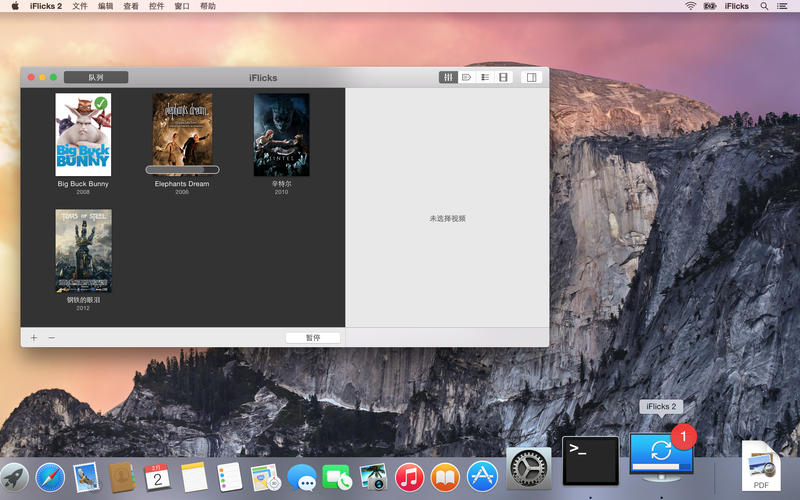
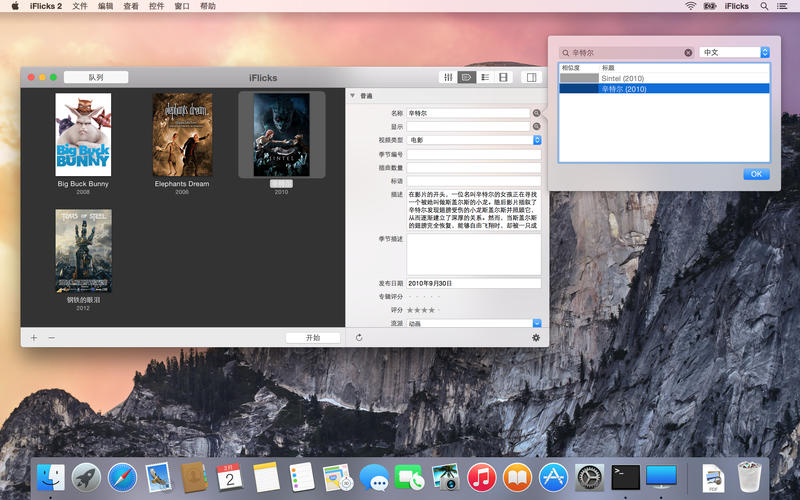
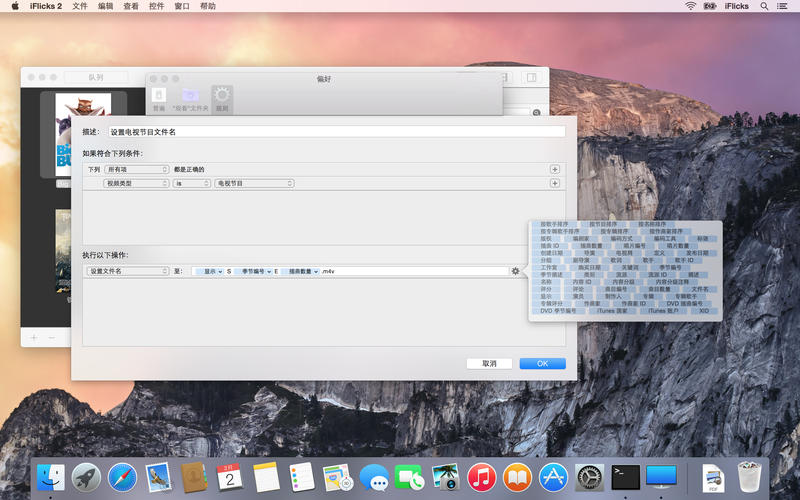
规则
您可以利用强大的规则按照偏好移动元数据,也可以根据文件路径、类型或其他条件来自动选择预设值、目标和其他处理选项。
“观看”文件夹
自动处理放置在“观看”文件夹中的视频文件。
For more details about iFlicks, please check out our website at iflicksapp.com.
Connect with us at support@iflicksapp.com, support.iflicksapp.com or facebook.com/iFlicks.
喜欢使用 iFlicks!
v2.4.8版本新功能iFlicks 2.4 is the second major update to the already awesome iFlicks 2
As always we have put tremendous effort into further improving iFlicks. Now, with this version you can take full advantage of the added functionality we have been working on over the last year. It is another huge step that puts iFlicks even further ahead of its competition.
== More metadata ==
除了电影和电视剧的相关信息,iFlicks 现在还可以获取章节标题和字幕。它同样可以为章节截取图片并且直接嵌入到视频文件中。当然,这些都进行可以灵活的设置以便满足您的特殊需求。
== Even better rules ==
Rules have made another step forward as well. You can now do custom text replacements for specific tags and limit the number of entries for fields like actors or production companies. Additionally the rule system has gained a few more predicates and actions you can take advantage of.
== Continuous improvement ==
In a constant effort to make iFlicks compatible with new video and audio formats, we have made another step forward and hugely improved handling of corrupted video files as well.
So many other little things, of which many were suggested by our great users, have been improved and added that we can not even list them all here.
== Get back to us ==
We love hearing from you! Get in touch with us at support.iflicksapp.com, facebook.com/iFlicks or support@iflicksapp.com.
如果喜欢使用 iFlicks,请花少许时间来留下好评:它确实有帮助。
iFlicks 2 for Mac 2.4.8 下载 高速下载 [pan=https://pan.baidu.com/s/1xUyVYDUo5EohepHTFp0DGw]菁菁社区||30[/pan] 菁菁苹果园 bbs.lingsky.com