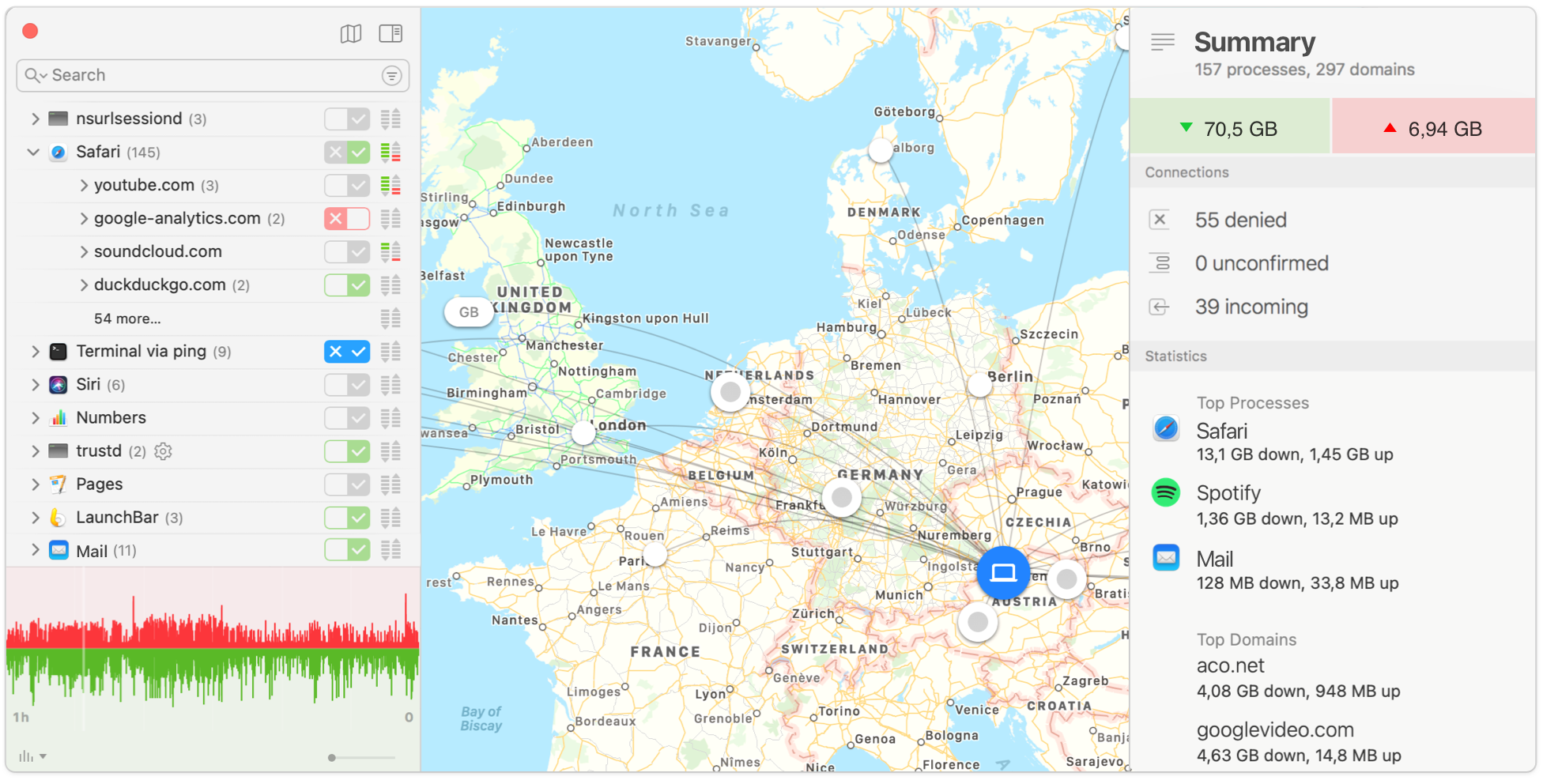
标题: Little Snitch for Mac 4.0.1 测试版 - Mac上优秀易用的防火墙软件 [打印本页] 作者: jingjing 时间: 2019-7-27 18:15 标题: Little Snitch for Mac 4.0.1 测试版 - Mac上优秀易用的防火墙软件 摘要:Little Snitch 是一款 Mac 上简单易用的防火墙,除了保护我们的隐私数据外,Little Snitch的另一个大作用就是阻止软件的正版验证,Little Snitch 可以监控和阻止特定软件的网络连接,例如当你启动Adobe的系列软件时,Little Snitch会通过弹出窗口提醒用户是否允许其网络连接,能够保护用户的隐私数据,必备软件之一。
Little Snitch 是一款 Mac 上简单易用的防火墙,除了保护我们的隐私数据外,Little Snitch的另一个大作用就是阻止软件的正版验证,Little Snitch 可以监控和阻止特定软件的网络连接,例如当你启动Adobe的系列软件时,Little Snitch会通过弹出窗口提醒用户是否允许其网络连接,能够保护用户的隐私数据,必备软件之一。
[Little Snitch 在官网上售价45英镑,约450元人民币,请可直接升级,序列号用3.7的]
Little Snitch for Mac 4.0.1 介绍Little Snitch允许你拦截这些多余的连接尝试,并让你决定如何进行。
Little Snitch通知您,当一个程序试图建立一个传出的互联网连接。然后,您可以选择允许或拒绝就此,或定义一个规则如何处理类似的,未来的连接尝试。这可靠地防止在您不知情的情况下被送到私人数据。不显眼的小飞贼运行在后台,它也可以检测网络病毒,木马和其他恶意软件的相关活动。
Little Snitch gives you control over your private outgoing data.
Track background activity
As soon as your computer connects to the Internet, applications often have permission to send any information wherever they need to. Little Snitch takes note of this activity and allows you to decide for yourself what happens with this data.
Control your network
Choose to allow or deny connections, or define a rule how to handle similar, future connection attempts. Little Snitch runs inconspicuously in the background and it can even detect network-related activity of viruses, trojans, and other malware.
v4.0.1版本新功能Version 4.0.1: Note: Now requires OS X 10.11 or later. Note: Version 4 is a paid upgrade from previous versions.
General Improvements
Improved TouchBar support
Improved handling of FTP connections
Improved upgrade from version 3 to preserve an active Silent Deny Mode
Domains and search-domains that are explicitly configured in macOS System Preferences > Network Preferences > Advanced > DNS are now considered
Fixed some spelling errors, improved wording and localization
Fixed a crash of Little Snitch Agent when turning off the Network Monitor while Silent Mode was active
Fixed an issue when creating a new rule or profile in Little Snitch Configuration while the Known Networks window was open
Fixed a possible kernel panic
Many minor bug fixes
Connection Alert
The connection alert now shows a warning when the connecting application is affected by Gatekeeper Path Randomization (which indicates that the app was not correctly installed)
The alert now also shows a plain text representation of internationalized domain names containing special characters which require encoding; this makes it possible to identify homograph domain name attacks
It’s now possible to get the port and protocol specific option preselected in the connection alert (See Little Snitch Configuration > Preferences > Alert)
The connection alert now allows to create rules for an entire Content Delivery Network domain
Fixed the ordering of minimized alerts: When maximizing the alert, the last minimized alert is opened first
Menu-Bar Icon
Improved indication of active silent mode in menu bar
The menu bar icon is now always shown while "Silent Mode - Deny Connections" is active, regardless of the "Show status in menu bar" preference option
Network Monitor
Added preferences option to show the Network Monitor when the mouse hovers the menu bar icon
Added "Help" menu item
Improved Top Countries summary statistics in Connection Inspector
Fixed a bug where Network Monitor became unresponsive when Little Snitch Daemon crashed
Fixed an issue causing Network Monitor to start with an empty list instead of showing the stored previous connections
Little Snitch for Mac 4.0.1 下载 高速下载 [pan=https://pan.baidu.com/s/1xUyVYDUo5EohepHTFp0DGw]菁菁社区||30[/pan] 菁菁苹果园 bbs.lingsky.com