标题: Picktorial for Mac 3.0.4.344 破解版 - 专业级照片编辑器 [打印本页] 作者: jingjing 时间: 2019-7-27 18:16 标题: Picktorial for Mac 3.0.4.344 破解版 - 专业级照片编辑器 摘要:Picktorial使用专业级工具剪切照片编辑学习曲线,并精简干净的界面!Picktorial提供了各种各样的工具,所有这些工具都以完全无损的方式运行,并且可以实时预览。
Picktorial使用专业级工具剪切照片编辑学习曲线,并精简干净的界面!Picktorial提供了各种各样的工具,所有这些工具都以完全无损的方式运行,并且可以实时预览。
[Picktorial 在 Mac App Store 售价人民币258元]
Picktorial for Mac 3.0.4.344 介绍Picktorial cuts photo-editing learning curves with pro-grade tools and streamlined clean interface!
**Selected by Forbes as one of the top 10 Hottest Design Tools for 2016**
--Celebrate the new version with 40% off for a limited time --
"A superb app! A great buy if you need a photo editor to replace Aperture", Ian Evenden, MacFormat.
Wish you could enhance your photos with pro-level tools, make local adjustments to RAW photos, retouch portraits, add filters, watermarks and more, all in an easy-to-use and beautifully designed app? Download Picktorial!
_______________________________________________
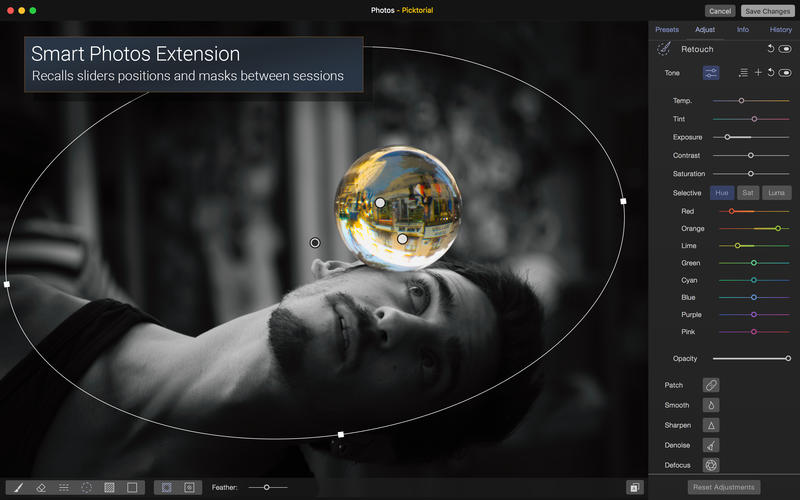
Picktorial integrates with OS X Photos, so you can enjoy the power of Picktorial right from Photos. Or, you can keep using Picktorial for individual photos or folders, bypassing the time-consuming import process of other apps.
You can refine your edits at any time, without undoing later edits - whether you are using Picktorial as a Photos Extension or as a standalone app - and even after closing and reopening the app.
_______________________________________________
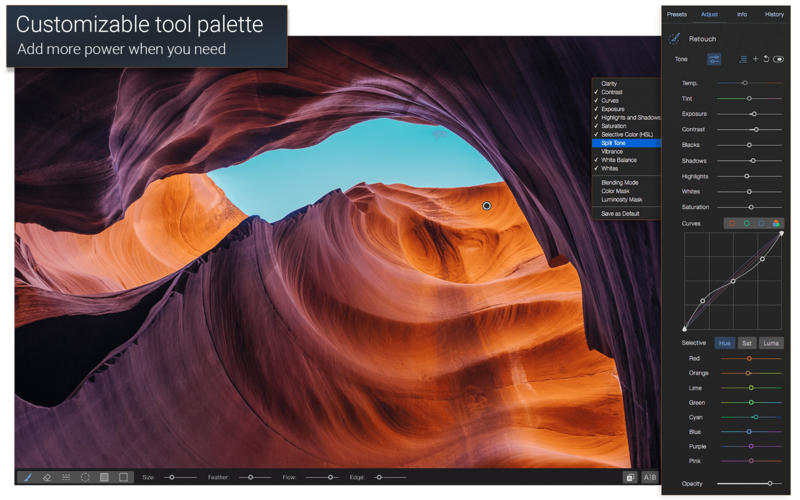
Picktorial provides a rich array of tools, all of which operate in a fully non-destructive manner and with live preview.
Editing tools:
? Selectively adjust tone and color of specific regions with advanced tools
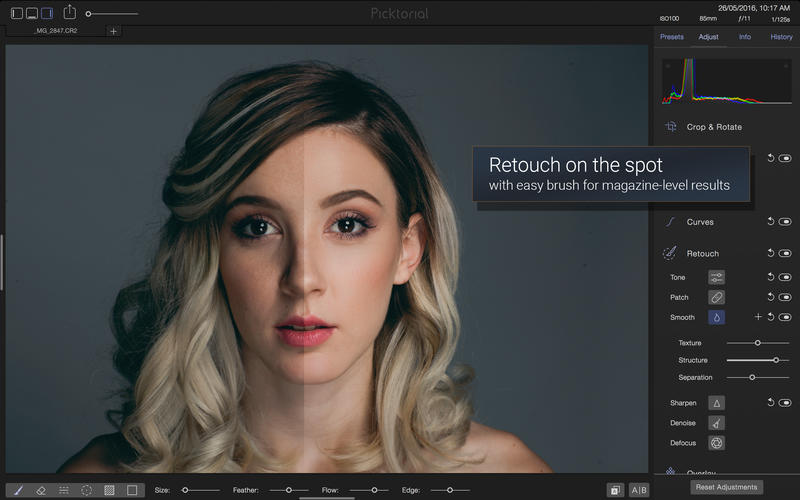
? Quickly get magazine-level skin smoothing results with the magic Smooth brush
? Remove blemishes, spots, defects and unwanted objects with the Patch tool
? Blur out parts of your photos to make subjects stand out with the Defocus tool
? Radial, gradient, and brush masking tools can combined together
? Give a personal touch with frames and custom textures layers
? Live preview for all edit tools
? Professionally-designed, presets: customize, or create your own presets
? Copy-paste adjustments and masks between photos.
Safely experiment with new ideas - everything is non-destructive:
? Change your very first edits without undoing the latest ones
? Edits are saved between sessions so you can always go back
? Edits are saved in-place so you can modify or revert to previous edits on another computer
? Easy import and export - automatic folder content monitoring and no cataloging.
? Tab-based viewers for streamlined workflow on multiple projects
? Organize photos by folders, tags (keywords), and star-rating
Fast, seamlessly integrated RAW editing:
? A GPU-based RAW processing engine for maximum quality and performance
? Support RAW files from 500+ cameras ( full list is here: http://bit.ly/1RXyT2W )
? Support DCP camera profiles compatible with Adobe Lightroom and Photoshop
? Automatic lens correction based on manufacture embedded info (supported for Fujifilm, Olympus, Panasonic and Sony cameras)
Built exclusively for Mac:
Picktorial takes full advantage of the latest Mac features and technologies like Cocoa, Metal, OpenCL, OpenGL, Core Image, Grand Central Dispatch, 64-bit, Retina display, Auto-save, Time Machine and much more!
Minimum system requirements:
? Mac OS X v10.10.5 (Yosemite) or later
? A Mac computer with a 64-bit CPU (support for older Macs is experimental)
? Resolution: up to 80MP on Mac Pro, up to 50MP on other Macs.
? A (growing) list of supported RAW formats: http://bit.ly/1RXyT2W
Not sure yet? Try Picktorial for free: www.picktorial.com
Picktorial for Mac 3.0.4.344 下载 高速下载 [pan=https://pan.baidu.com/s/1xUyVYDUo5EohepHTFp0DGw]菁菁社区||30[/pan] 菁菁苹果园 bbs.lingsky.com