摘要:Simplify 是一款Mac上强大的音乐播放控制工具,可以在菜单栏统一控制iTunes、 VOX、Spotify、SoundCloud等音乐播放器或播放服务,并且支持iPhone远程控制,很强大!
Simplify 是一款Mac上强大的音乐播放控制工具,可以在菜单栏统一控制iTunes、 VOX、Spotify、SoundCloud等音乐播放器或播放服务,并且支持iPhone远程控制,很强大!
[Simplify 在 Mac App Store上售价人民币30元]
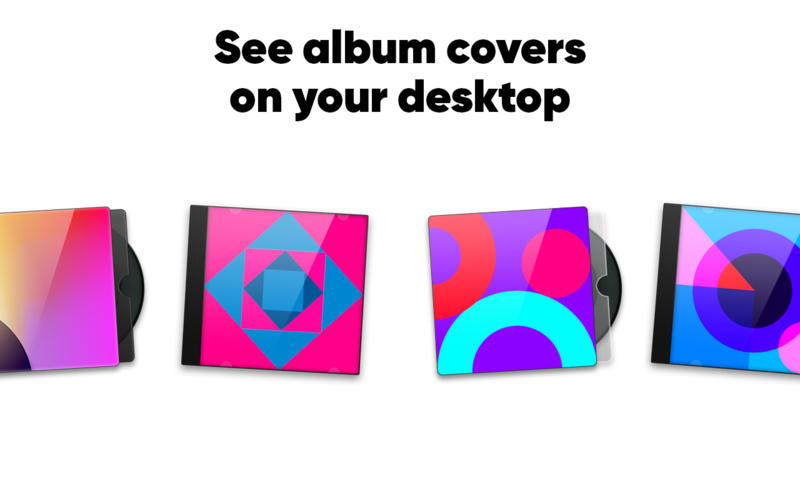
Simplify for Mac 3.4 介绍Simplify is the simplest way to control your music. It lets you know what's playing, switch and seek tracks, and control sound volume. Simplify is a great music controller, and it allows you to concentrate on your work, Internet browsing, or document editing without interruptions. No need to constantly switch to a player window to find out the current track or see its album art: it will always be on your desktop.
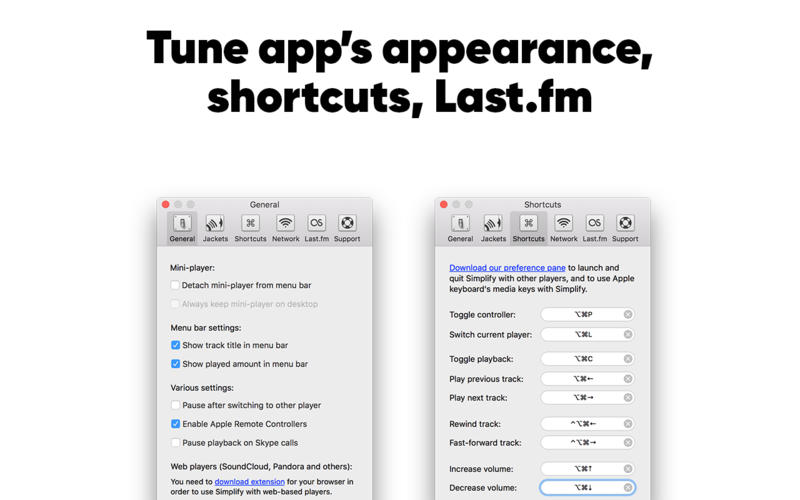
Is your desktop always filled with windows and documents? Don't worry, you can assign keyboard shortcuts for almost every action: playback toggle, track changes, sound volume levels.
Features
Album cover and track title always on your desktop
Desktop widget jackets: create your own look-and-feel for the desktop widget using HTML, CSS, and JavaScript. Follow the documentation on our site to create a jacket
Cute mini-player window (can be shown with a customizable keyboard shortcut) to control sound volume, switch tracks, seek tracks, toggle playback
Customizable global shortcuts to control sound volume, switch tracks, toggle playback, and toggle mini-player
Simplify may be automatically launched when Spotify starts
Current song title in menu bar
Easily copy track title and link to track to share with friends
v3.4版本新功能Version 3.4:
Note: Now requires OS X 10.8 or later
Fixed support of web-based players, so Pandora, Deezer, VK, and others get back into the game!
Fixed Spotify artworks. You'll see!
Some other under the hood improvements and fixes.
Simplify for Mac 3.4 下载 高速下载 客服微信coolgps QQ41360481





 请点击此处下载