摘要:Disk Cleaner Suite 是一款Mac上优秀的磁盘垃圾清理工具,具有磁盘清理、软件卸载、重复文件查找、广告删除和文件强制删除等特性,很不错!
Disk Cleaner Suite 是一款Mac上优秀的磁盘垃圾清理工具,具有磁盘清理、软件卸载、重复文件查找、广告删除和文件强制删除等特性,很不错!
[Disk Cleaner Suite 在 Mac App Store上售价68元]
Disk Cleaner Suite for Mac 2.3 介绍SALE! $29.99 -> FREE FOR A LIMITED TIME ONLY!
*** 24/7 CUSTOMER SUPPORT! ***
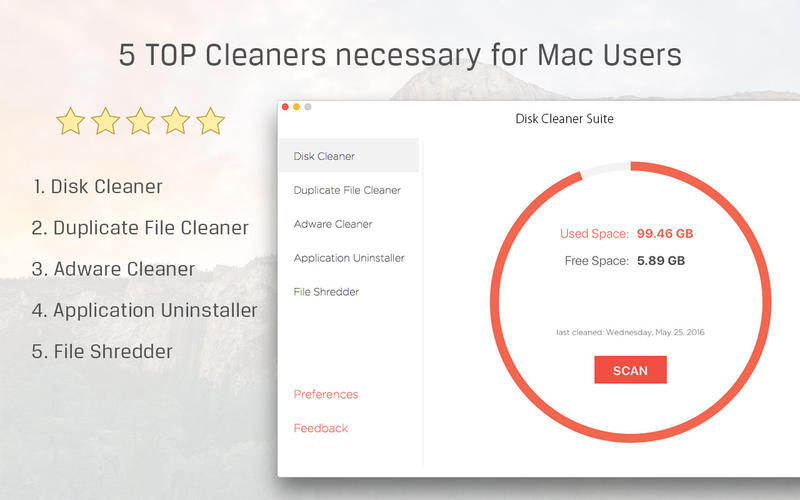
5 Top Cleaners necessary for Mac Users.
Disk Cleaner / Adware Cleaner / Duplicate File Cleaner / Application Uninstaller / File Shredder
1. Disk Cleaner
Frees up your disk space and makes your Mac run faster.
Scans junk files (such as Trash Can, Downloads, Logs, Caches, Mail, iTunes, etc ) which you might no long need
Cleans and reclaims disk space.
2. Adware Cleaner
Detects and Cleans Adware and Spyware safely.
Blocks opening strange pop-ups and toolbars made by Adware.
Removes browsers(Safari, Chrome and Firefox) add-ons and extensions opening ads annoyingly.
Restores browsers settings to normal.
3. Duplicate File Cleaner
Very Quick and Accurate Scan Algorithm of duplicated files or folders.
MD5 checksum file compare.
Support Photos library.
Scans multiple folders from drag & drop or file selection browser.
Customizable scanning options such as excluding extensions and file size in Preferences.
Intuitive inspection view of duplicated files.
Useful functions such as filter, sort, preview, auto selection for removal and etc.
Cleans duplicated item and reclaim disk space within a few seconds.
4. Application Uninstaller
We are using many applications that have no uninstaller functionality. Commonly we move application to Trash for uninstalling and then may empty Trash to reclaim disk space or not. By doing this way, we can't remove the application cleanly and can't reclaim full disk space that the application occupied. As you know, application stores
temporary files such as log, cache, settings, downloads, add-ons and etc in specific locations of disk.
Application Uninstaller scans the associated(temporary) files and help you remove them quickly and safely.
Scans applications and associated files.
Intuitive view of application list.
Adds or Remove other application folders in Preferences.
Removes quickly and safely.
5. File Shredder
How do you delete a file? Maybe we move file to Trash and then empty the Trash. This way needs two steps and has problem for security, that is recoverable.
If you want one step simple and perfect secure deletion, use this function.
Start shredding by:
Right-Click items(folder or file) and select "Shred and Delete".
Drag & Drop items on application icon in Dock.
Secure Levels:
1 pass operation (Quick)
7 pass operation (Best)
35 pass options (Long but Safest)
We are happy to receive your feedback! We are proud of all cleaners. But we don't think it is enough to meet your needs all. If you have any problems or you want to add new features and cleaners, please email us directly( support@higreensoft.com ).
We are always ready to support you 24/7.
Disk Cleaner Suite for Mac 2.3 下载 高速下载 客服微信coolgps QQ41360481




 请点击此处下载