摘要:Snagit是Mac上最好用的最好用的屏幕截图工具,Snagit支持各种方式的屏幕截图,如全屏、滚动、部分、窗口、菜单等,除了屏幕截图外,还支持屏幕录像功能,另外还具有强大的截图图片编辑、转换和分享功能,各种细节做的都非常的不错,非常的强大!
Snagit是Mac上最好用的最好用的屏幕截图工具,Snagit支持各种方式的屏幕截图,如全屏、滚动、部分、窗口、菜单等,除了屏幕截图外,还支持屏幕录像功能,另外还具有强大的截图图片编辑、转换和分享功能,各种细节做的都非常的不错,非常的强大!
[Snagit 2018 在Mac App Store上售价人民币328元]
Snagit for Mac 2018.0.1 介绍TechSmith Snagit 为用户提供了以视觉方式交流思想、提供反馈和创建共享内容的工具。利用 Snagit 的编辑工具,用户可以轻松地截屏并进行自定义。用户可选择多种标注和戳记,以生动有效的方式进行高效率的交流。用户还可以录制屏幕或网络摄像头,从而创建简要教程、课程或演示。利用 TechSmith Snagit 的各种输出项可以方便地共享创建的内容。
新功能:
新 Snagit 编辑器
新 Snagit 截屏窗口
新戳记和标注
使用网络摄像头采集视频
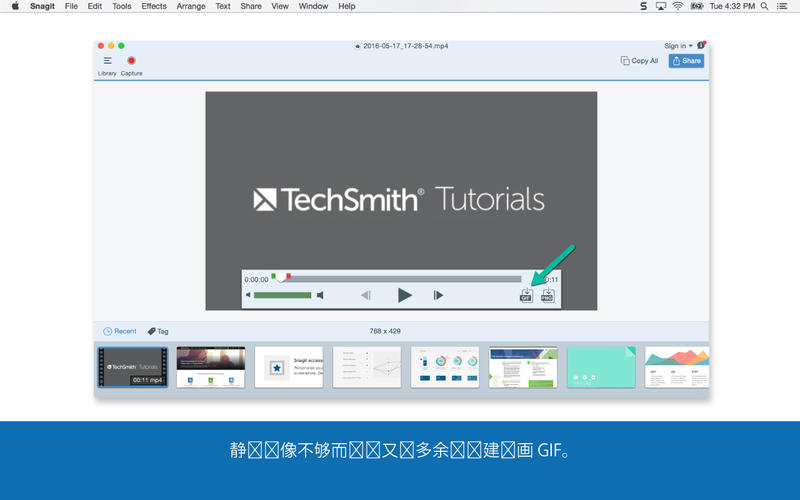
动画 GIF
全景图像采集
v2018.0.1版本新功能Version 20180.1:
Video Improvements
We've redesigned the webcam recorder to capture up to 4x as many pixels for sharper videos right from the start. And now you can record at an even higher frame rate for smoother, more professional recordings.
Additional Blur Options on Mac
We've made a new improvement to the blur options on Mac. You can now choose between smooth blur or pixellate.
New Mobile Apps
We recently released two brand new iOS apps that let you create content directly on your iOS device. TechSmith Motion bring static images on your mobile device to life by highlighting your product or brand with video effects and text overlays. And TechSmith Capture records your screen for perfect training and app demos. Learn More.
Grab on Mac Improvements
If you use Grab on Mac, you can now save it directly to Snagit.
Snagit for Mac 2018.0.1 下载 高速下载 客服微信coolgps QQ41360481




 请点击此处下载