摘要:RazorSQL 是一款Mac上优秀的数据库管理客户端,RazorSQL具有数据库连接、SQL编辑和查询、数据库管理、导入/导出数据等等功能,支持主流的30多种数据库,如Cassandra、Oracle、SQLite、MS SQL Server、MySQL、MongoDB等,非常不错!
RazorSQL 是一款Mac上优秀的数据库管理客户端,RazorSQL具有数据库连接、SQL编辑和查询、数据库管理、导入/导出数据等等功能,支持主流的30多种数据库,如Cassandra、Oracle、SQLite、MS SQL Server、MySQL、MongoDB等,非常不错!
[RazorSQL 在官网售价 99.95 美元]
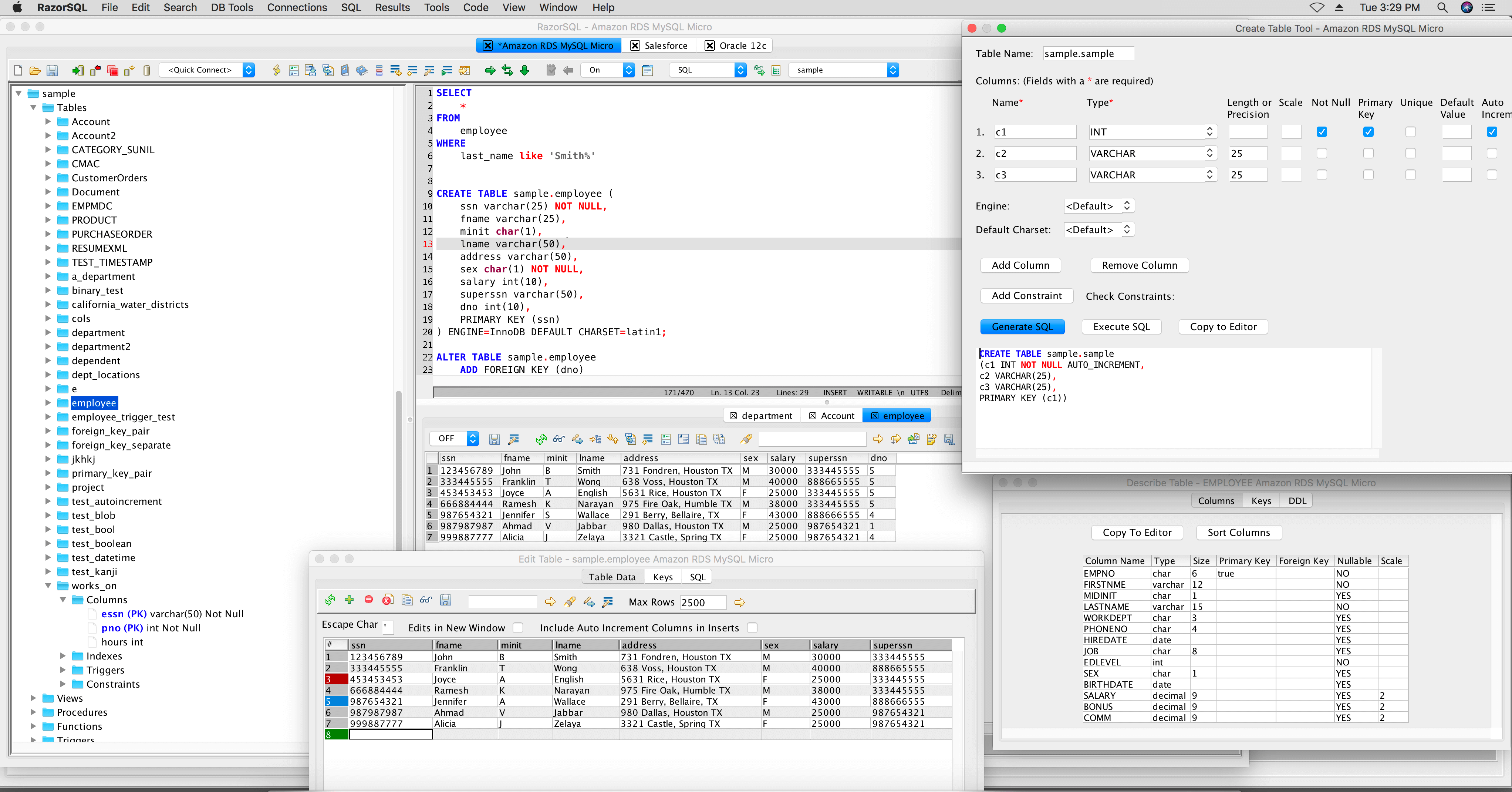
RazorSQL 8.4.1 Mac 破解版 介绍RazorSQL for Mac是一个强大的跨平台实用程序,旨在使查询,浏览和管理大量数据库格式变得简单快速。能够连接到30多种不同类型的数据库,并允许您浏览其内容,执行SQL查询或执行各种管理功能。您可以将数据导入数据库或从数据库导出数据,比较数据库之间的数据等。
支持各种类型的数据库RazorSQL正在使用基于Java的数据访问技术(JDBC)或开放式数据库连接(ODBC)来帮助您建立与各种类型数据库的连接。
该应用程序可以使用各种数据库管理系统,如JavaDB,Firebird,MongoDB,MySQL,Oracle,OpenBase,PostgreSQL等。
建立连接后,您可以使用RazorSQL工具浏览所有包含的数据,并可视化模式,表格,功能,数据列等。同时,您可以编辑内容,创建新元素,更改现有元素或完全删除项目。
导入和导出数据,以及浏览和编辑数据库内容RazorSQL可以通过处理包含分隔内容的各种类型的文件来快速将数据导入数据库。同时,您可以将部分数据库导出为XML,HTML或Excel文档。
此外,RazorSQL可以将存储在不同表中的信息进行比较,即使存储到不同的数据库中也是如此。由于应用程序使您能够执行不同的查询,您还可以比较结果。
为了扩展其功能,RazorSQL还包括一个SQL编辑器,可以支持在20种不同的语言(如SQL,PHP,HTMl,XML,CSS,JavaScript等等)中编写语法。
易于使用内置SQL编辑器设置数据库管理器RazorSQL使您能够快速连接到各种类型的数据库,浏览其内容,执行各种管理功能,运行SQL查询,导入或导出数据,跨数据库比较表等等。
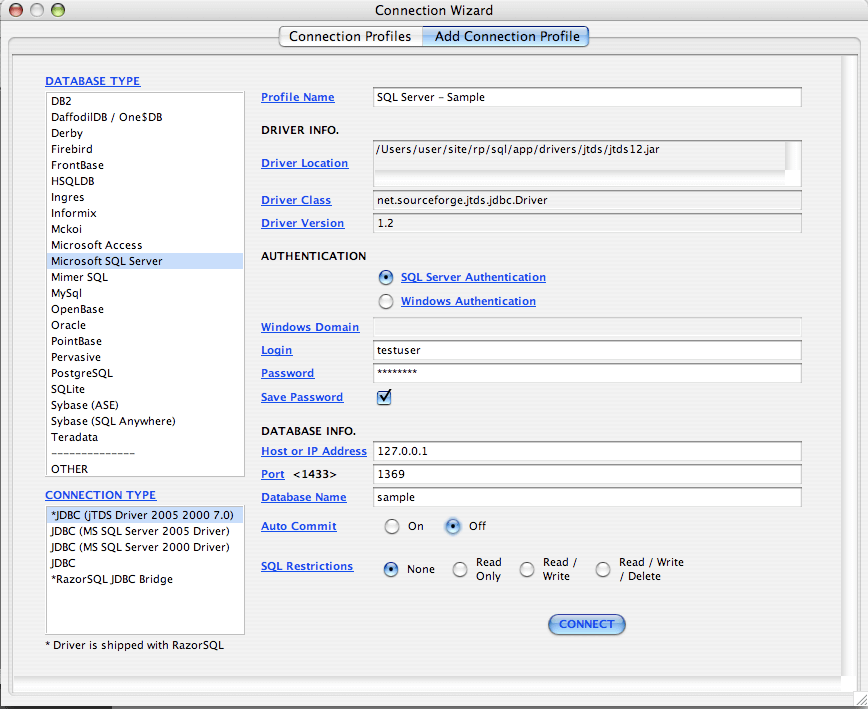
由于它具有一个连接向导,并且包含一个功能强大的,内置的关系数据库(HSQLDB),您应该可以随时取得进展。
What's New in RazorSQLVersion 8.4.1:Enhancements:
Oracle Database Browser: Added ability to generate grants for procedures, functions, and packages
MS SQL Server Database Browser: Added ability to generate grantes for procedures and functions
DB2 LUW Database Browser: Added ability to generate grants for tables, views, and procedures
Version 8.4.0:
Added auto update capabilities to the Windows and Mac versions
Added version 19.3 of the Oracle JDBC driver
Updated Firebird JDBC driver to the latest version
Editor: First time save of a file, file name is populated based on file type
XML Validator: Schemas with maxOccurs values of more than 5000 throwing validation errors
Version 8.3.6:
Import Tool: When importing from XLSX files, if cell format is not set to scientific notation, values get converted from scientific notation to regular numbers
Query Results to the Same Tab: Queries that don't return results no longer take up space in the query results section
Query Results to the Same Tab: Better setting of columns widths after the first result set
ODBC Connections: If query results number formatting preference is changed, numeric columns do not display data
Version 8.3.5:Enhancements
Added Remove Line Breaks, Duplicate Line, and Text to HTML converter options to the Edit - Text menu
Changes
Upgraded SQLite JDBC driver to version 3.27.2.1
Upgraded hive uber jar to the latest version
Bug Fixes
DynamoDB: Tables with lists that contain number, string, or binary sets, or tables with lists of lists that contain those sets throwing errors in the database browser and when trying to query
Mac Notarized Version: SQLite connections using SQLiteJDBC throw an unsatisfiedlinkerror
Mac Notarized Version: Connections to SQL Server / SQL Azure not working when using the Microsoft SQL Server driver
Oracle Create Table Tool: First column size and scale are not editable until switching the data type
DB2 Generate Alter Table DDL / Describe Tool: Generated foreign key references may not be correct if the same constraint name is used across multiple tables
MySQL Alter Table DDL: Generated foreign key table may be empty
Version 8.3.3:Enhancements
PostgreSQL: Added support for json and jsonb types
PostgreSQL Database Conversion: Added support for json and jsonb types
Bug Fixes
H2 to MS Access Conversion: H2 bigint data types were not converting to the correct type
Version 8.3.1:Enhancements
Import Tool: Added an option for whether or not to fully qualify table names in generated insert statements for delimited, Excel, and fixed width imports
Database Browser: Added support for View Contents - Limit Results for SQLite, HSQLDB, and H2
Added an Edit -> Backup User Data menu option for backing up all user specific RazorSQL data such as preferences, connections, etc. to a zip file
Query Results: Added a locale specific number formatting option on the Edit -> Preferences -> Query Results screen
Changes
Associate File: If file is already open on an unconnected and unmodified tab, connect that tab instead of creating a new tab
Launch Edit Table Tool from query results: If the query is a select * query and all the results are retrieved, use the already retrieved results for editing instead of re-executing a new query
Edit Table Tool: Max rows to retrieve per table now use the connection profile specific max rows setting instead of the global max rows setting from the preferences
Edit Table Tool: Query to populate uses a limit clause for certain databases to prevent retrieval of extra rows and improve performance
Bug Fixes
Connection Wizard: If profile is deleted, copied, or renamed, profile tree does not update immediately
Version 8.2.5:
DynamoDB: Added support for parallel scans with a comment hint syntax. For example, select /*parallel:5:100*/ * from table where id
Salesforce: Describe Table Tool: Added a Reference Table column to the Columns tab
Salesforce: Query Builder: Added the ability to add more than one table to select queries
Query Results: Create Table from Results: Added option to create table from results on another connection of the same database type
Edit Table Tool: Changed so that the table containing the table data always expands to the full size of the window and has a smaller minimum size
Auto Reconnect: If database is disconnected, and auto reconnection process works, set the selected database on the connection to the database at the time the connectio was lost instead of the database set on the connection profile
Salesforce: Added support for toLabel function in queries
PostgreSQL: Changed display of int2, int4, and int8 columns to smallint, integer, and bigint
The following files are now handled as zip files when opening: .odb, .odf, and .odt
Version 8.2.0:
Ingres: If comments in a query cause an error, RazorSQL will strip them
Added support for Java 10 and Java 11 to the Java compiler
Registration Screen now provides more information about license eligibility, upgrades, and archived downloads
RazorSQL 8.4.1 Mac 破解版 下载 高速下载 客服微信coolgps QQ41360481



 请点击此处下载