摘要:Pixelmator这是一款Mac平台上的图像处理软件,其主要功能和Adobe系列的photoshop类似,支持常见的PSD、TIFF、JPEG、PNG、PDF、EPS 等图形文件格式
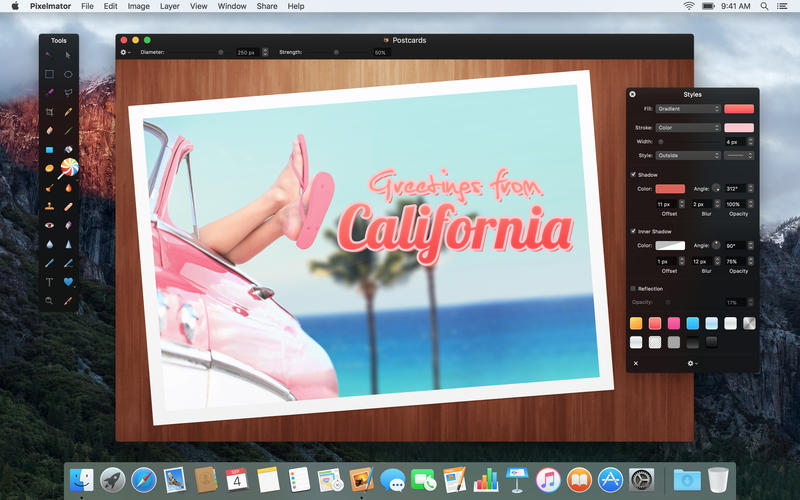
Pixelmator这是一款Mac平台上的图像处理软件,其主要功能和Adobe系列的photoshop类似,支持常见的PSD、TIFF、JPEG、PNG、PDF、EPS 等图形文件格式,以及足可与 Photoshop匹配的选取、渐变、笔刷、填充、裁切,甚至魔术棒工具等功能,和 50 多种专业的滤镜,以及系统预设的调色板以及字体资源。同时,Photo Browser还可以让用户直接从 iPhoto 导入相片。
[Pixelmator 在 Mac App Store上售价198元]
Pixelmator for Mac 3.6 介绍相对于Adobe Photoshop来说Pixelmator 是一款轻量级修图软件,干净整洁的界面易于操作,界面清爽,布局灵活,熟悉 Photoshop 的人可迅速上手。软件建立在一些开源和 Mac OS X 图形技术之上,可调用 Mac 图形加速。使用起来在界面交互和流畅感上均优于 Photoshop,且与 Mac 自带程序整合不错。
Pixelmator is a beautifully designed, easy-to-use, fast, and powerful image editor for OS X. It has everything you need to create, edit, and enhance your images.
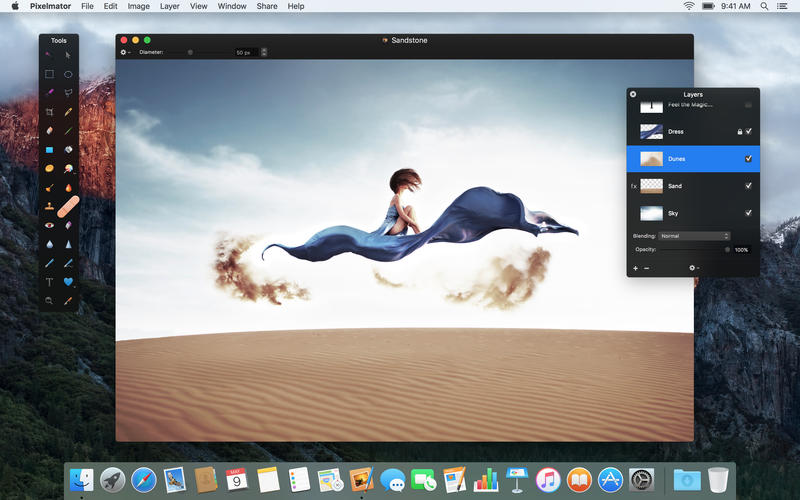
Pixelmator is a layer-based image editor. You can quickly create layers from your photos, other pictures, from selections, or even your iSight. Yes, Pixelmator can add a layer to your composition directly from your Mac's little camera. Not only can you link and arrange added layers, but Pixelmator also allows you to blend layers, change their opacity, create clipping masks, or even add layer masks to hide some portions of a layer.
v3.6版本新功能Version 3.6:
Note: Now requires OS X 10.10 or later
General
Pixelmator is now fully compatible with macOS Sierra.
The Touch Bar keeps your favorite Pixelmator tools and the most useful options always at hand.
Use Tabs to easily manage your Pixelmator windows.
The new Smart Refine feature lets you instantly improve selections with stunning accuracy and speed.
Support for Deep Images makes colors in 16-bit images more vibrant and true-to-life on Wide Color displays.
Touch Bar
Set the most useful tool options for your selected tool right in the Touch Bar.
The Touch Bar is customizable, so you can choose exactly which tools you’d like to keep in it.
Use the Touch Bar to change color, alignment, and other text properties.
When previewing effects or adjustments, a Show Original button lets you take a peek at the original image.
Use Rotate and Scale sliders to transform layers.
And do a lot more!
Tabs
Quickly drag and drop layers between documents in different tabs.
Merge all your Pixelmator windows into a single one by choosing Window > Merge All Windows.
Close all tabs except the current one by Option-clicking the Close button of the tab you’re in.
New images open in a new tab according to your preferences in System Preferences > Dock - either Always, In Full Screen Only, or Manually.
If your tab preferences are set to In Full Screen Only or Manually, hold down the Option key when opening or creating new documents to open them in a new tab.
New features and other gems in macOS Sierra
With support for the Universal Clipboard, you can now seamlessly copy images and text between Pixelmator on your Mac and iOS devices.
Precisely align windows and palettes by moving them close to each other.
Double-click the edge of a window to automatically expand that edge.
Smart Refine and Refine Selection
Using an advanced edge-detection algorithm, Smart Refine precisely snaps your existing selection to object edges in your image.
Customize just how edge-sensitive Smart Refine is using the Edge Detection slider in the Refine Selection dialog.
You can now edit your selection while the Refine Selection dialog is open - paint to subtract from your selection, hold down the Option key and paint to add to your selection.
Use the [ and ] keys to change the size of the selection brush.
Deep Images
With support for P3 color and Wide Color displays, all 16-bit images on the new MacBook Pro, iMac with Retina 4K display, and iMac with Retina 5K display look more vibrant and true to life.
16-bit images also look better on standard displays, as dithering is applied to subtly smooth gradients and remove visible banding.
Dithering is also applied when reducing the color depth of an image from 16 bits to 8 bits.
Quick Selection Improvements
The Quick Selection Tool now has a live preview.
It’s also much faster, thanks to a faster algorithm.
And it’s more accurate, too - especially with black and white images.
Pixelmator for Mac 3.6 下载 高速下载 客服微信coolgps QQ41360481





 请点击此处下载