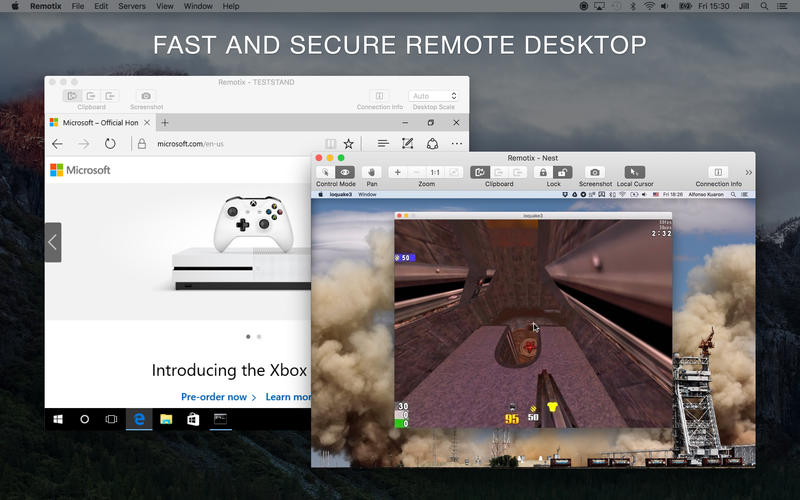
摘要:Remotix 是一款Mac上优秀的远程桌面工具,支持VNC、RDP 等协议,可以远程连接 Windows、Mac、Linux 系统,简单易用,支持剪切板共享、声音播放等功能特性。
Remotix 是一款Mac上优秀的远程桌面工具,支持VNC、RDP 等协议,可以远程连接 Windows、Mac、Linux 系统,简单易用,支持剪切板共享、声音播放等功能特性,并且速度和稳定性都很好,非常不错!
[Remotix 在 Mac App Store上售价人民币258元]
Remotix for Mac 4.1.2 介绍远程控制Remotix可以同过VNC控制你的Mac或PC,功能强大,安全无害。软件特点:- 速度快- 支持SSH和其它加密方式- 能够访问Mac OS C、Linux和Windows。- 支持局域网扫描- 支持IP扫描- 自带键盘输入- 支持右键模式。
Remotix is a fast, secure and feature packed remote desktop tool to access your computer from anywhere.
Here is what Remotix users say:
"Remotix is just absolutely amazing, I use it all the time. It allowed me to log onto my work computer from my personal computer and there was hardly any lag at all, my internet isn't the best and even apps like this still manage to run with zero problems!”
Matt Falconer, Mac App Store
"This app is very fast and has already saved me a couple of times because I have left something on the wrong computer. Love it, well worth the money."
Mark.L13, Mac App Store
Highlights
Apple Screen Sharing, VNC and RDP, including RD Gateway
Connect from anywhere with Remotix Cloud technology
Discover nearby computers using Bonjour, NetBIOS and LAN scanners
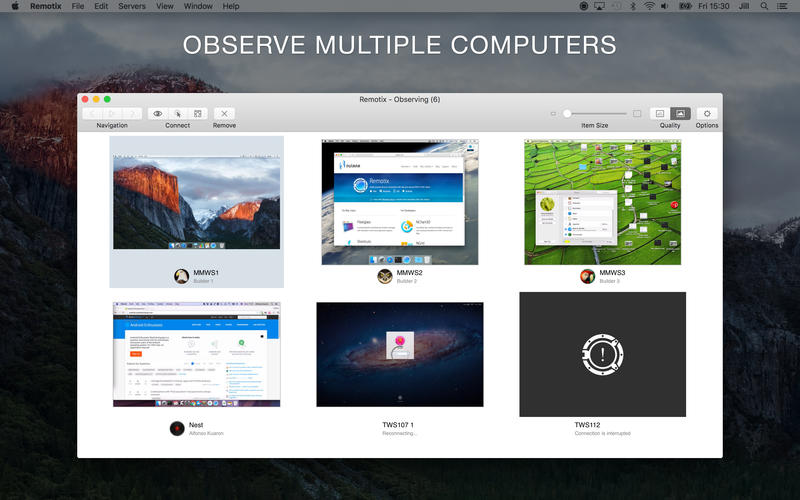
Observe multiple computers at once
Secure connections via SSH tunneling
Stored servers are available on all your devices via iCloud
Master password protection
Wake-On-LAN
URL schemes to launch Remotix from third-party apps
If you are connecting to Mac:
Complete Apple Screen Sharing experience
Drag-n-drop to share files between your Mac and remote Mac
Automatically keeps your Mac pasteboard synchronized
Best performance on average or slow internet connections with Apple adaptive codec
Multi-display configuration selection, combined or each display individually
Dramatic improvement of interaction speed with server-side picture scaling
Ask to share the screen or authenticate by OS X username & password
If there is someone logged in, select whether to ask for sharing or to start separate session
Curtain mode & remote screen locking
Remote multi-touch
If you are connecting to Windows over RDP:
RD Gateway & load-balancing configurations
On-the-fly resolution and scale change
Rich clipboard with text, RTF and HTML
Sound playback & recording
Your Mac files are available as a folder within RDP session
Automatic connection setup for the best performance over 3G or LAN
Secure NLA authentication
If you are connecting to Linux or Windows over VNC:
Works well with VMWare, UltraVNC, TightVNC, RealVNC, TigerVNC and x11vnc servers
Copy and paste with automatic clipboard sync
Microsoft Windows Logon authentication (UltraVNC)
VeNCrypt TLS authentication (ProxMox, TurboVNC)
x11vnc -ncache mode support
v4.1.2版本新功能* Sierra *
We've fixed several issues with Remotix on Sierra, including certificate view display, numbers of servers in scanners. Also, Sierra brought us the ability to tab arbitrary windows and we've added the option to automatically open new viewers as tabs. Enjoy!
* Scrolling *
There are several major improvements in scrolling: RDP now has horizontal scrolling and both vertical and horizontal scrolling is now inertial. We've also fixed scrolling sensitivity with VNC servers.
* Timezone *
Remotix now properly detects client timezone and passes this information to RDP server. This should improve timezone redirection if you're using it.
* Other *
RDP window size was not saving on close, fixed.
In 4.1.2:
Option to hide toolbar in viewer;
Option to hide application title in main window;
Fixed cursor colors in RDP connections;
Fixed possible hang on reconnect.
Remotix for Mac 4.1.2 下载 高速下载 客服微信coolgps QQ41360481






 请点击此处下载