摘要:iDatabase 是一款Mac上强大的个人信息数据库管理工具,提供了简单易用的方式来管理你的个人信息,包含各个方便,比如音乐、电影、书籍、CD、联系人等等。
iDatabase 是一款Mac上强大的个人信息数据库管理工具,提供了简单易用的方式来管理你的个人信息,包含各个方便,比如音乐、电影、书籍、CD、联系人等等。
[iDatabase 在 Mac App Store上售价人民币128元]
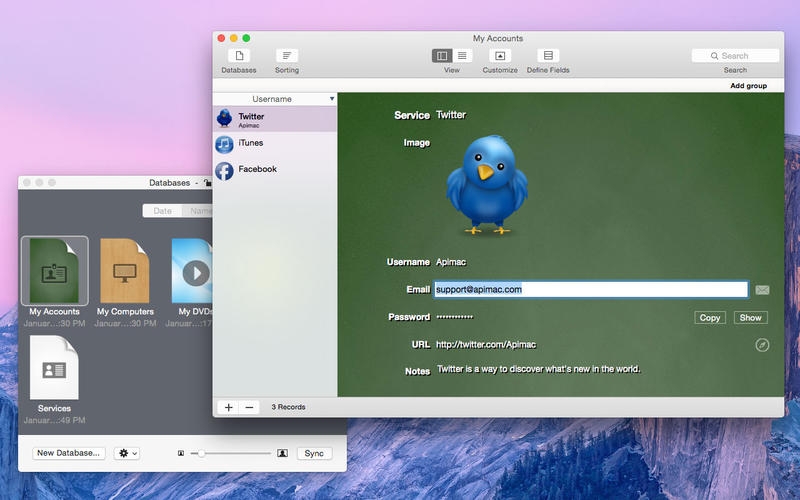
iDatabase for Mac 3.21 介绍The personal database basic and easy to use for everyone. With iDatabase, you can manage membership lists, expenses, projects, keep track of your passwords, internet accounts and much more! You can choose from its ready to use and easy to personalize database templates to organize any type of information or you can create a totally new database from scratch. iDatabase allows you to catalog all the information you want and then easily find it whenever you need.
TEMPLATES INCLUDED
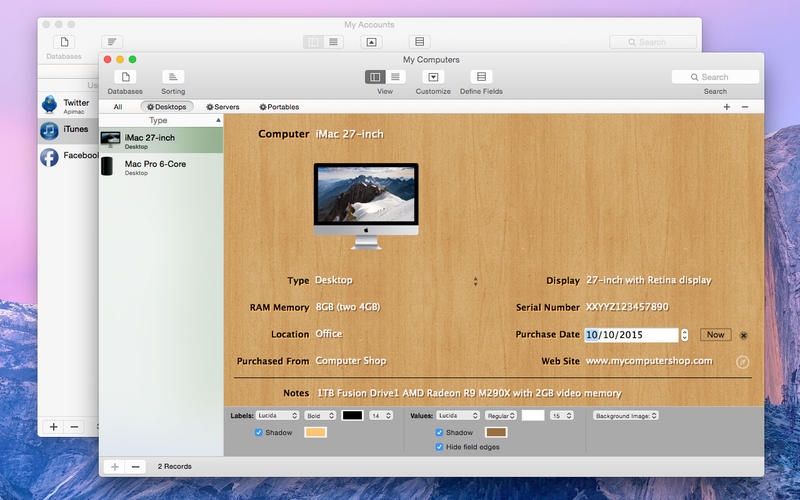
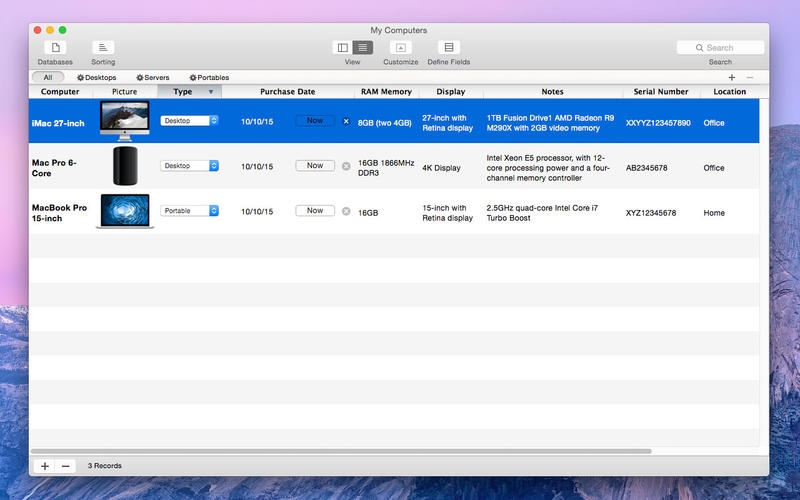
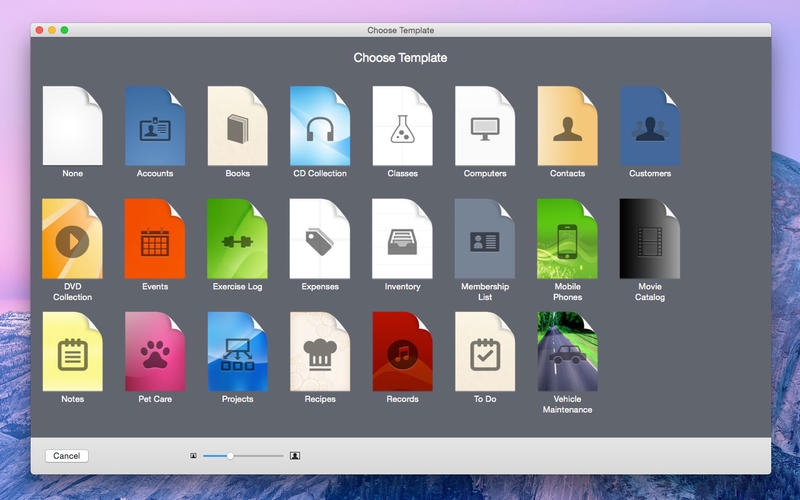
Choose from 22 ready-to-use database templates which you can personalize to fit your needs. The following templates are included: Accounts, Books, CD Collection, Classes, Computers, Contacts, Customers, DVD Collection, Events, Exercise Log, Expenses, Inventory, Membership List, Mobile Phones, Movie Catalog, Notes, Pet Care, Projects, Recipes, Records, To Do, Vehicle Maintenance.
SUPPORTED FIELDS
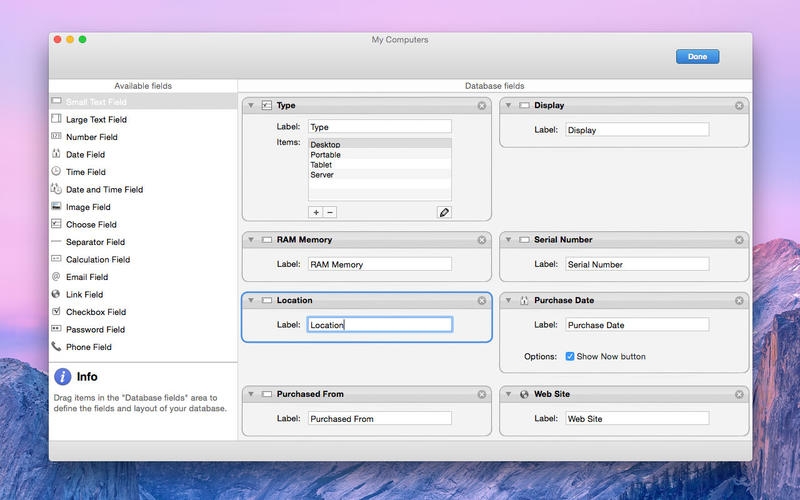
With iDatabase, you have a large number of different fields to enter your information. iDatabase lets you store your data in 14 different types of fields:
Small text: use small text fields to store characters of letters, symbols, and numbers used as text in a single line of text without scrolling bar.
Large text: use large text fields to store characters of letters, symbols, and numbers used as text in a multi line of text with scrolling bar.
Number: use number fields to store integers or decimals numbers.
Date: use date fields to store dates.
Time: use time fields to store time.
Date and time: use Date and Time fields to store a date and time together to reference a fixed point in calendar time.
Image: use image fields to store images.
Choose: use choose fields to present a list of mutually exclusive choices. Item picker fields are used as a means of selecting one choice from a list of two or many.
Calculation Field: use calculation fields to present the result of a arithmetic operation between number fields content. A calculation field can be a result of addition, multiplication, ratio and subtraction.
Email: use Email fields to store email addresses.
Link: use Web link fields to store web links, FTP addresses or other URLs.
Checkbox: use checkboxes fields to indicate one option that must be either on or off.
Password: use password fields to store passwords or any other sensible text data.
Phone: use phone fields to store phone numbers.
PROTECTION WITH CODE
The application can be protected by an access code to prevent unauthorized use.
SYNC/EXPORT/IMPORT AND BACKUP
iDatabase for Mac can be synchronized via Wi-Fi with iDatabase for iPhone (sold separately). The app supports Backup and Restore, Exporting and Importing of databases in .idatabase and .CSV formats. The .idatabase files preserve the complete content and structure of the database, including pictures and they can also be used by iPhone version of iDatabase.
SUPPORT
For any product information, please contact our support, we are happy to provide information about our software and technical assistance: www.apimac.com/support/
v3.21版本新功能Version 3.21:
Note: Now requires OS X 10.10 or later
Minor compatibility improvements
iDatabase for Mac 3.21 下载 高速下载 客服微信coolgps QQ41360481



 请点击此处下载